
HALT

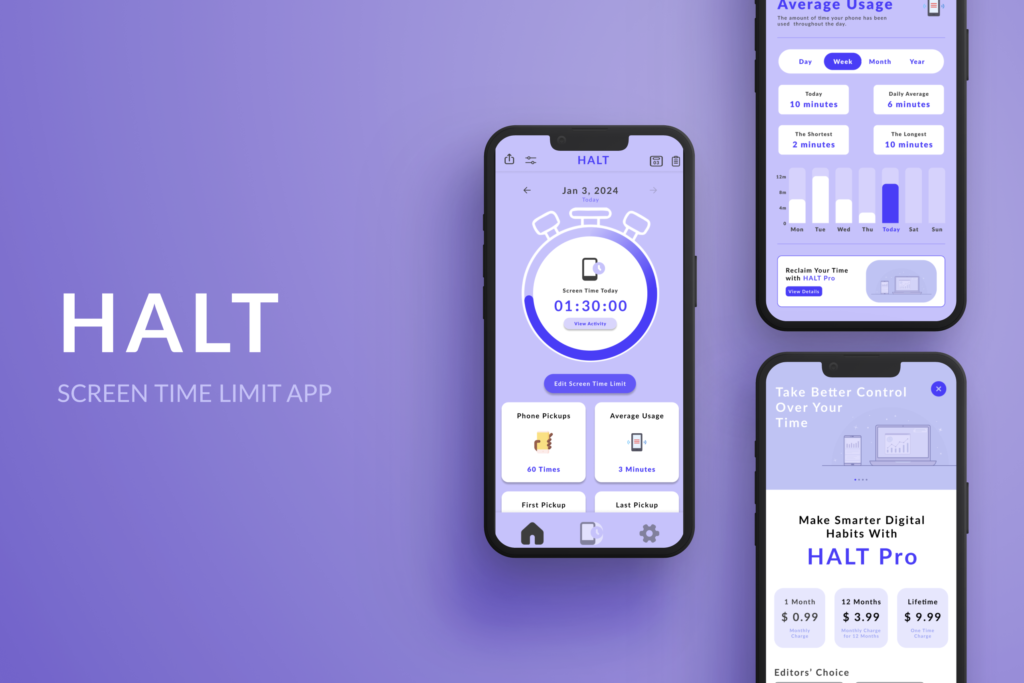
An app designed to help users to limit their screen time, promoting healthier screen time habits and increasing productivity and focus.

My Role

UX/UI Designer

Timeline

10 Weeks – 80+ Hours

Tools

Figma

HALT is a fictional app created for the Digital Media Innovation Capstone Course at Texas State University.

HALT aims to make healthier digital habits easily achievable to those who wish to limit their screen time habits, by providing users with daily, weekly, and monthly reports of their screen time habits.

Problem

Excessive screen time has become a prevalent issue, negatively impacting productivity, mental health, and overall well-being. According to a report by eMarketer, the average American adult spends over 3 hours and 30 minutes on their mobile devices daily . This surge in screen time is linked to various adverse effects, such as decreased productivity, poor sleep quality, and heightened anxiety and depression symptoms. Despite widespread awareness of these issues, many individuals struggle to have control over their screen time effectively.

Users need a solution that not only monitors their screen time but also provides timely reminders to help them redirect their attention away from their phones. HALT is designed to meet this need by offering a comprehensive toolset for tracking, limiting, and managing screen time, ultimately promoting healthier digital habits and improving overall focus and productivity.

Project Goal

Create HALT to have screen time limit features that aid the user’s challenges regarding their screen time habits. 

THE DESIGN PROCESS

EMPATHIZE

Exploring the user’s needs

Overview

Research Approach

Market Research

Interviews

Research Approach

To better understand some challenges that people may face with their screen time habits, I decided to do some secondary research along with conducting interviews. Before conducting the interviews, I thought about some open-ended questions to ask to explore some of the interviewees different screen time concerns, what goals they have, and what methods they’ve been using to manage their screen time. 

For the interview process, I wanted to interview people between the ages of 16-45, and that were either people who were students or working individuals. I was able to recruit 5 people to participate in the interview process, and had the interview last between 15-30 minutes long. While each interview I conducted varied differently in how our conversation would go, I made sure to direct the conversation back in order to complete my 3 research goals.

Research Goals

  • Explore and identify screen time behaviors and patterns with students and working individuals.
  • Identify any pain points and unmet user needs that current screen time apps or methods don’t meet.
  • Discover top features that would be most valuable in putting into a screen time limit app.

Methodologies

  • Secondary research on top apps related to screen time limit to determine gaps in the market.
  • In-depth interviews with 5 people who want to limit their screen time.

Competitive Market Research

While conducting primary research through interviews, I also undertook secondary market research to identify competitor applications to HALT. After reviewing several apps, I selected three for a detailed comparison to identify common screen time limit methods and features. This comparison provided insights that informed the next steps in defining the optimal methods and features for HALT.

Competitor Primary Function Screen Use Tracking Reminders & Alerts Gamified Detailed Analytics Customize Goals & Tracking Strengths Weaknesses
Forest
Grow Virtual Trees
Engaging gamification, simple interface, community
Limited customization, simplistic analytics
Moment
Track and analyze screen time
Comprehensive tracking, highly customizable goals
Less engaging, can be overwhelming
Offscreen
Mindful and intentional use
Balanced approach, intuitive interface, mindfulness
Less gamified, limited social features

Interview Findings

“What are your concerns with your screen time habits?” To understand this question, I conducted in-person interviews with students and working individuals to learn about…

  • Understand users’ daily screen time habits, including activities and usage patterns
  • Identify challenges, impacts on productivity and wellness, effective strategies and desired features for handling their screen time.


The questions that I asked during the interview include the following open-ended questions:

  1. Tell me about your daily routine in regards to screen time. How do you typically use your device throughout the day?
  2. What challenges do you face when trying to manage your screen time? Can you describe a recent experience?
  3. How do you feel screen time affects your productivity, mood or overall well-being?
  4. In what situations do you find yourself most tempted to spend excessive time on your phone?
  5. What methods have you tried using to limit your screen time? Which ones are effective and which ones haven’t worked as well for you?
  6. In what ways do you think an app can help you to better manage your screen time? What features would you find most useful in such an app?

The user interviews revealed 6 key insights:

Awareness vs Action

Despite 80% of the participants saying that they are aware of the negative effects of excessive screen time, only 20% of the participants say they are actively attempting methods to reducing their screen time.

Customization Needs

Both students and working individuals express the need to have customizable features such as personalizing their screen time limits and having control over their alert settings.

Impact on Focus

All of the participants mentioned that their excessive screen time negatively impacted their focus within their daily routine and tasks. 

Social Media Stress

Over half of the participants mentioned feeling stressed about dedicating too much screen time towards social media, with having the constant need to check in on social media.

Sleep Quality Concerns

The majority of the students and working individuals had noted that their excessive screen time before bedtime had negatively affected their quality of sleep.

Alerts and Reminders

A key feature that most of the participants thought most integral to have are alerts and reminders to when their screen time limit would be up.

DEFINE

Establishing the user’s problems

Overview

User Persona

Problem Statements

User Persona

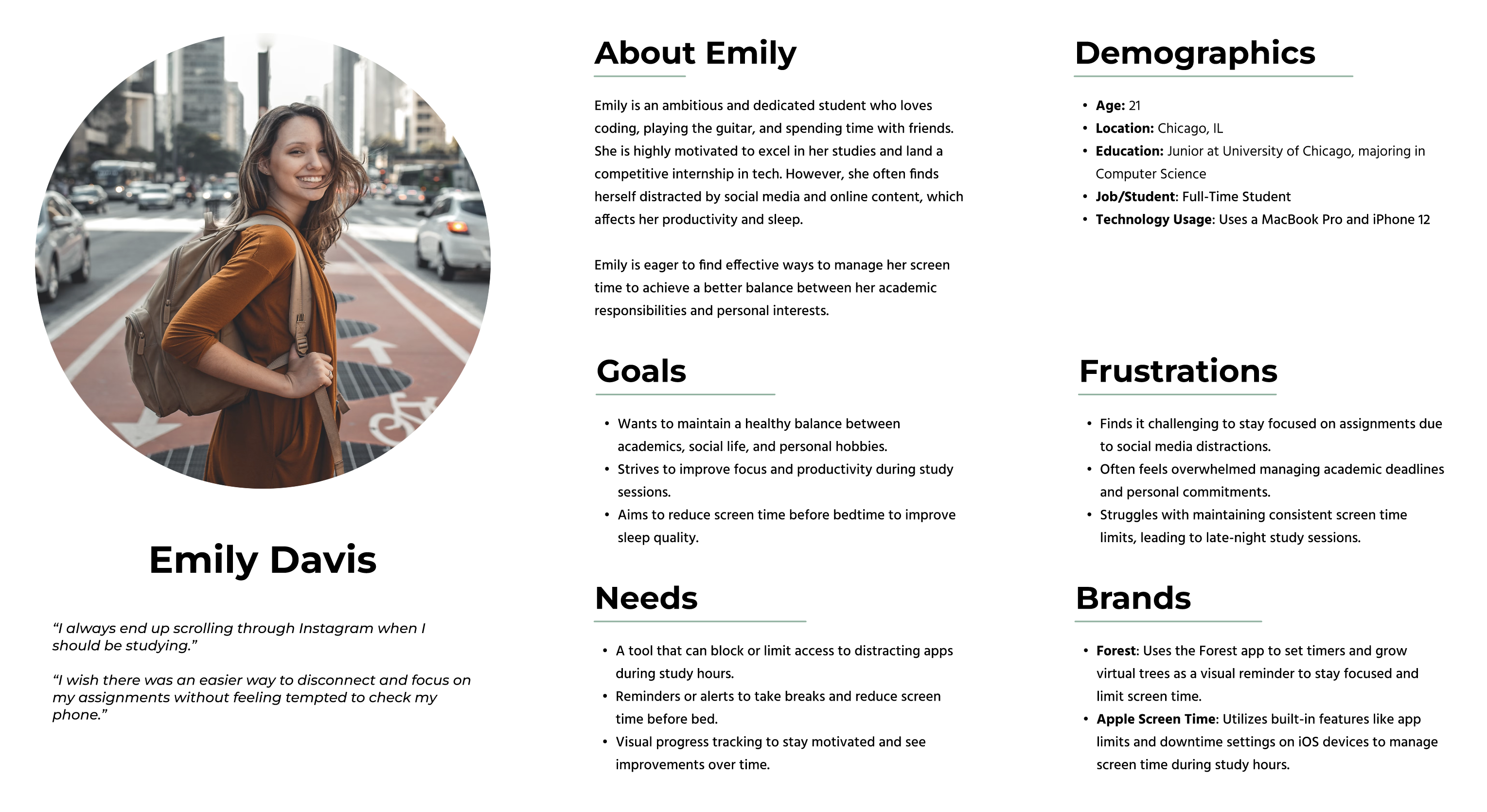
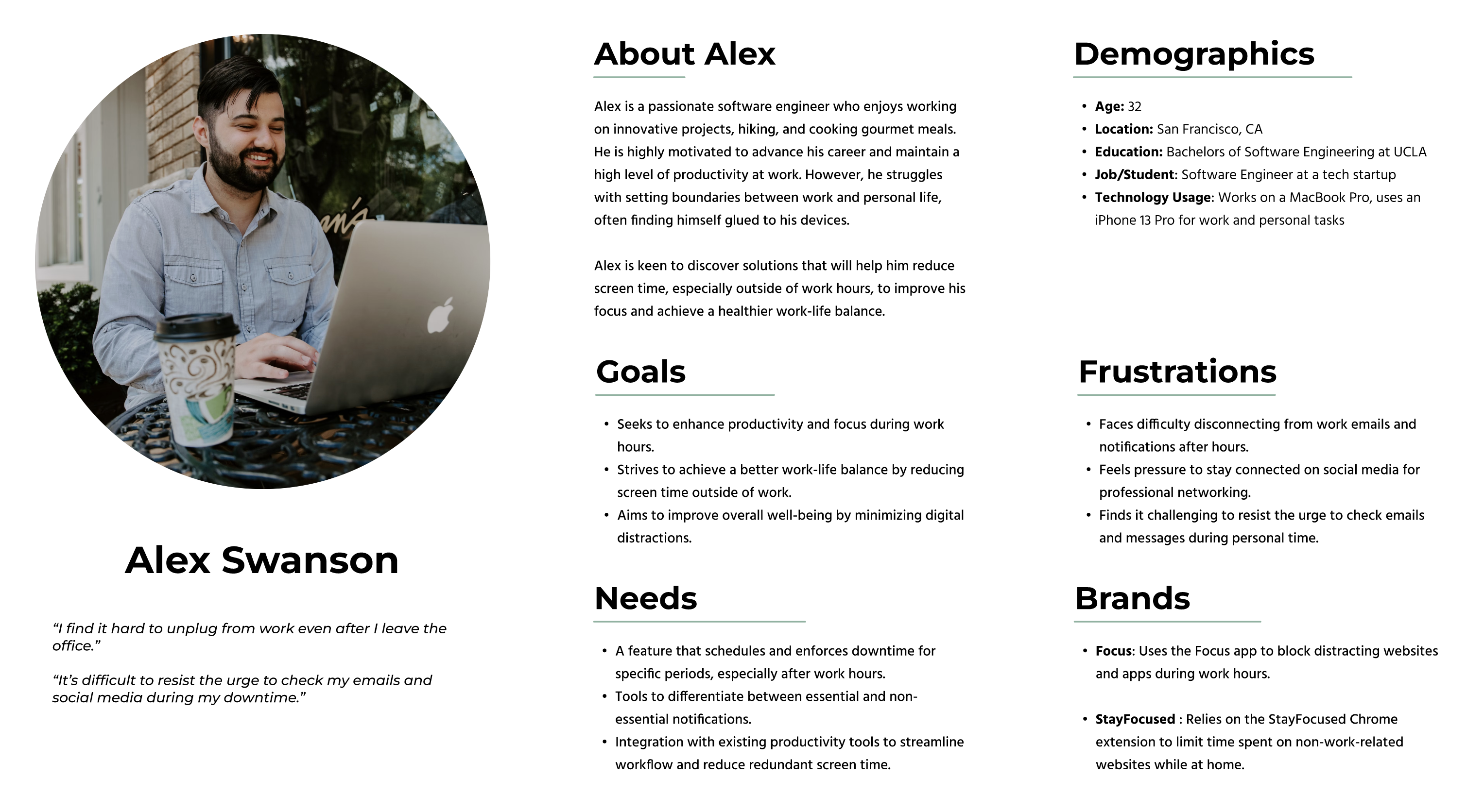
Understanding the diverse needs and behaviors of the users is crucial for designing an effective screen time management app. The user personas, Emily Davis and Alex Swanson, represent two key segments of the target audience: students and working individuals.

Both personas highlight the common struggles of excessive screen time and the need for customized and actionable solutions to enhance productivity, focus, and overall well-being. Through these personas, I will be able to gain valuable insights found in the specific goals, frustrations, and requirements of the users. The user personals will help to serve as a guide in creating a user-centered app that meets their unique needs in limiting screen time.

Problem Statements

After conducting interviews and creating the personas, I focused on what would be the most pressing “problem statements”. After contemplating many problem statement variations, I focused on 3 main statements:

  • How can we show the users their screen time habits so that they can be more mindful and proactive managing their digital habits?
  • In what ways can we inform users about their screen time habits and to reinforce healthier habits?
  • How can we provide a type of reminder to the user’s screen time limit goals and to keep them motivated in achieving those goals?


IDEATE

Generating a Design Solution

Overview

Creating Features

App Navigation

Sketching Wireframes

Lo-Fi Wireframe

UI Design Kit

Creating Features

After thinking about how I can build solutions to my problem statements through my user personas and problem statements, I created a Product Feature Roadmap to help construct solutions to the users needs.

This table with the organized app features and details ensures a clear roadmap for development focused on addressing user needs and enhancing their screen time management.

App Features Priority Description Breakdown Goal
Customizable Screen Time Limits
1 – Must Have
Allow users to set personalized screen time limits for different apps.
Users can select apps, set daily/weekly limits, receive notifications when limits are reached.
Help users control and manage their screen time more effectively.
Focus Mode
1 – Must Have
Block distracting apps and websites during specific periods.
Users can schedule focus periods, select apps/websites to block, receive progress reports.
Enhance productivity and concentration by minimizing distractions.
Downtime Scheduler
1 – Must Have
Schedule and enforce screen downtime after specific periods, especially after work.
Users can set downtime schedules, receive reminders, and block non-essential apps during downtime.
Encourage users to disconnect from screens and improve work-life balance.
Progress Tracking and Reports
2 – Nice to Have
Provide visual progress tracking and reports on screen time usage.
Users can view daily/weekly/monthly usage reports, set goals, and track progress towards reducing usage.
Motivate users to maintain healthier screen time habits through visual feedback and goal-setting.
Customizable Reminders
2 – Nice to Have
Send reminders to take breaks or wind down before bedtime.
Users can customize reminder times and messages, receive notifications to reduce screen time exposure.
Promote healthier screen time habits and better sleep quality.
Contextual App Usage Insights
2 – Nice to Have
Provide insights into app usage based on specific contexts, such as study or leisure.
Users can view detailed usage patterns, get context-specific recommendations, and optimize screen time.
Helps users understand and manage their screen time based on different contexts and activities
Social Media Filter
3 – Can Add Later
Can differentiate essential and non-essential notifications.
Users can prioritize important notifications and filter out non-essential ones during focus periods.
Reduce stress and improve focus by managing notification overload.
Integration with Productivity Tools
3 – Can Add Later
Integrate with existing productivity tools like calendars and task managers.
Users can sync focus periods with calendar events, receive task reminders, and manage to-do lists.
Streamline workflow and reduce redundant screen time, enhancing productivity.

App Navigation

Once I gathered some of the most important key features I wanted to incorporate into HALT, I created an App Navigation flow in Figma. I made sure for each step to highlight key features including customizable screen time limits, focus mode, downtime scheduling(which towards the end of the project I will rename as “Goal Scheduler”), and insights to ensure a seamless and productive user experience for users to achieve their screen time goals. 

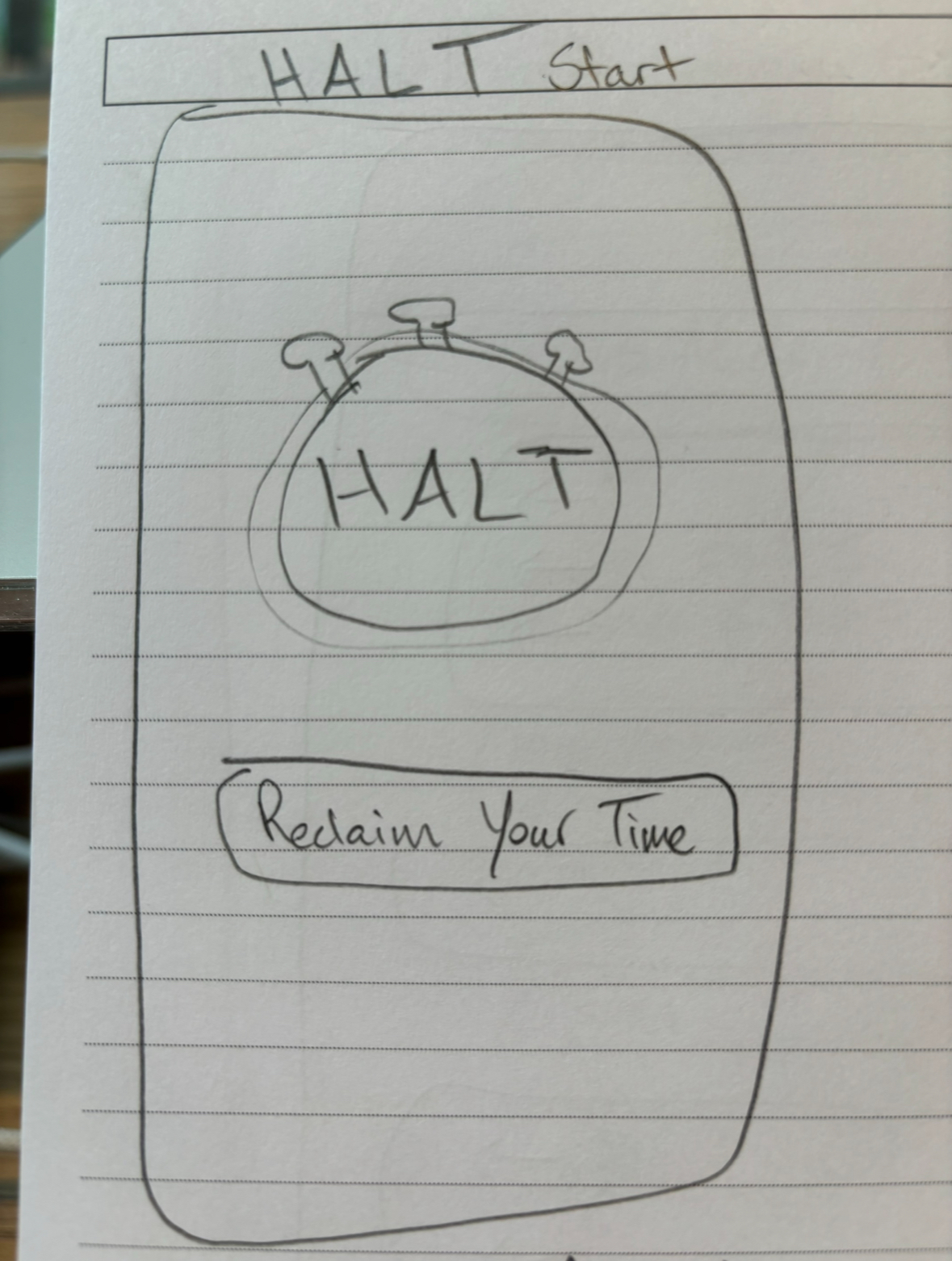
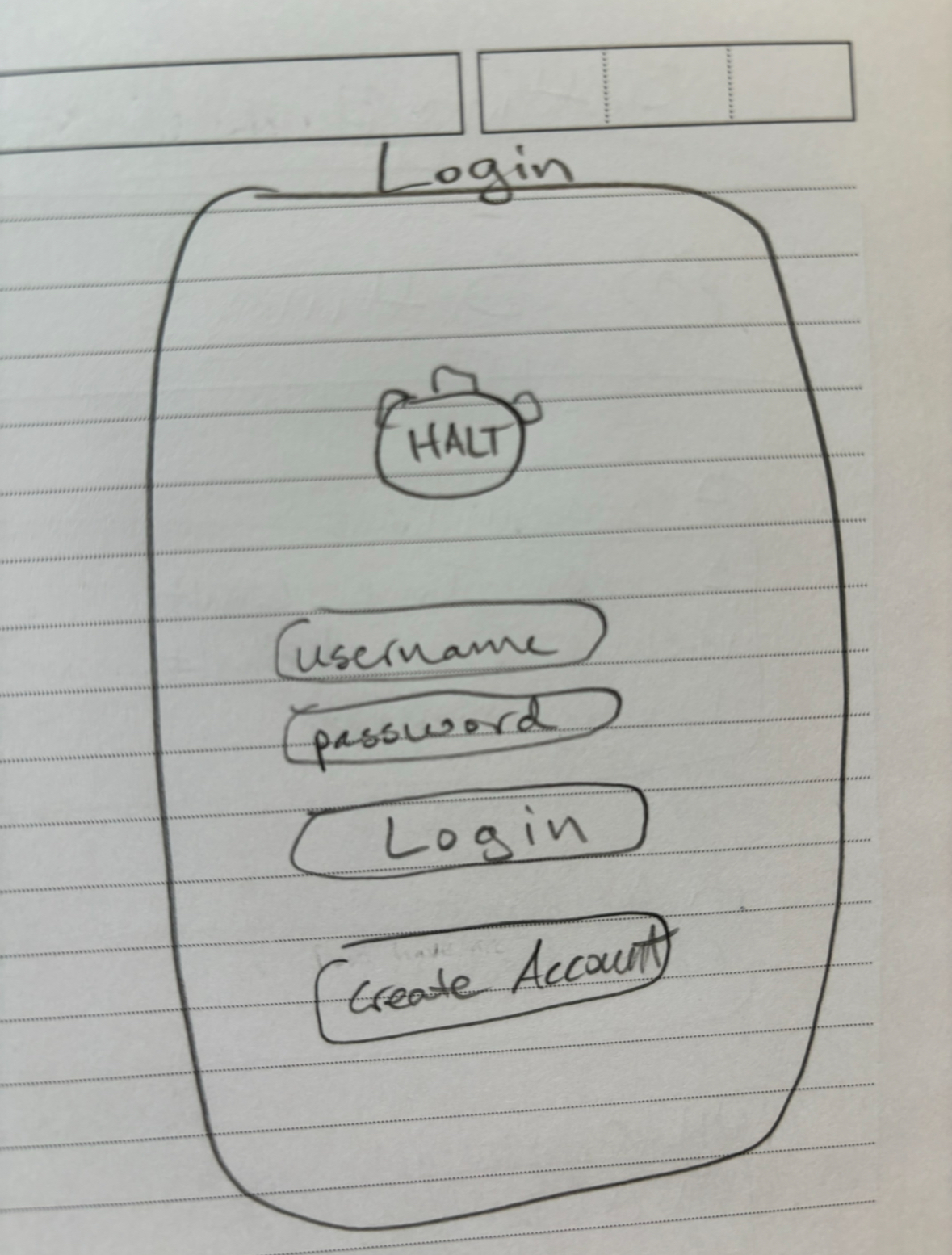
Sketching Wireframes

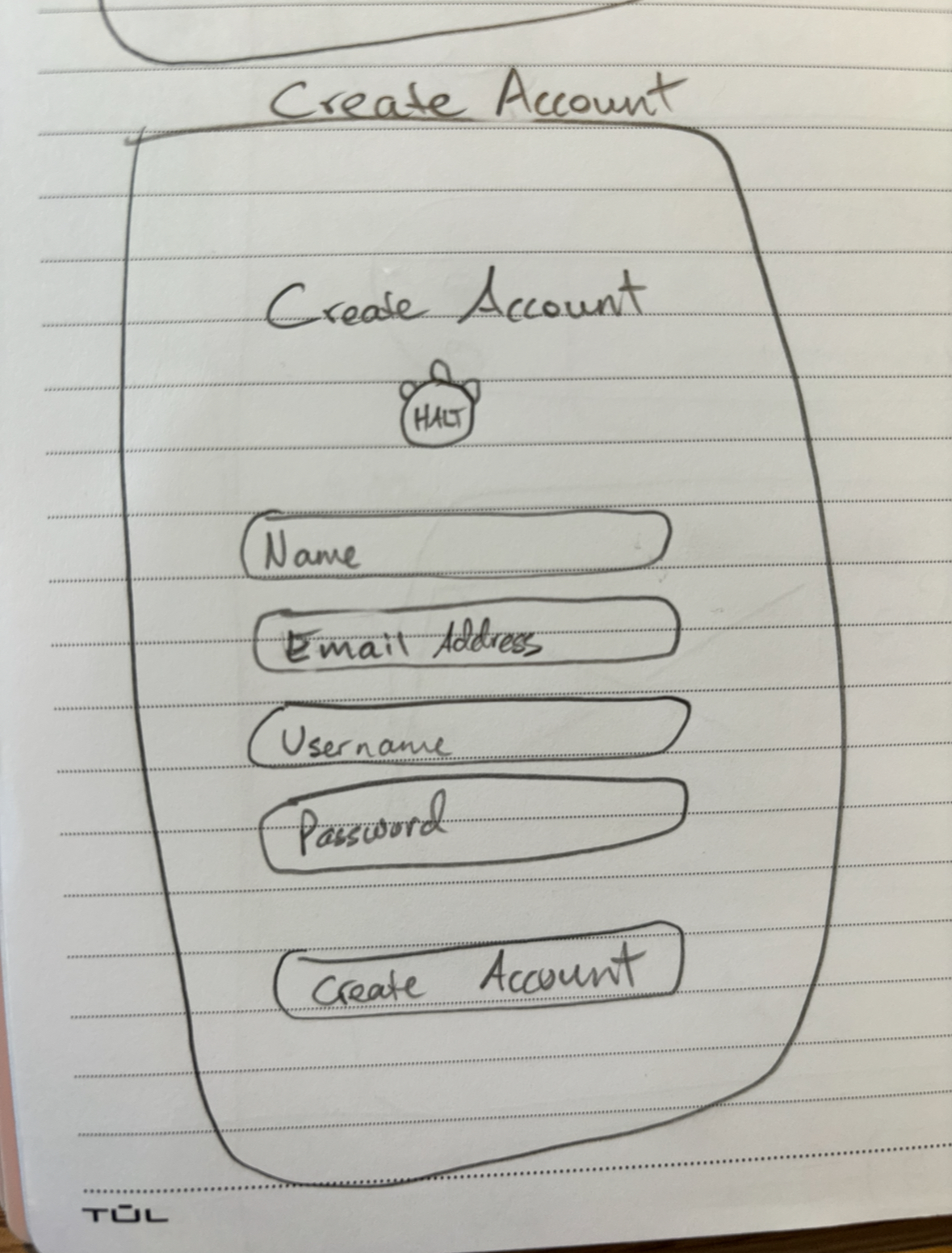
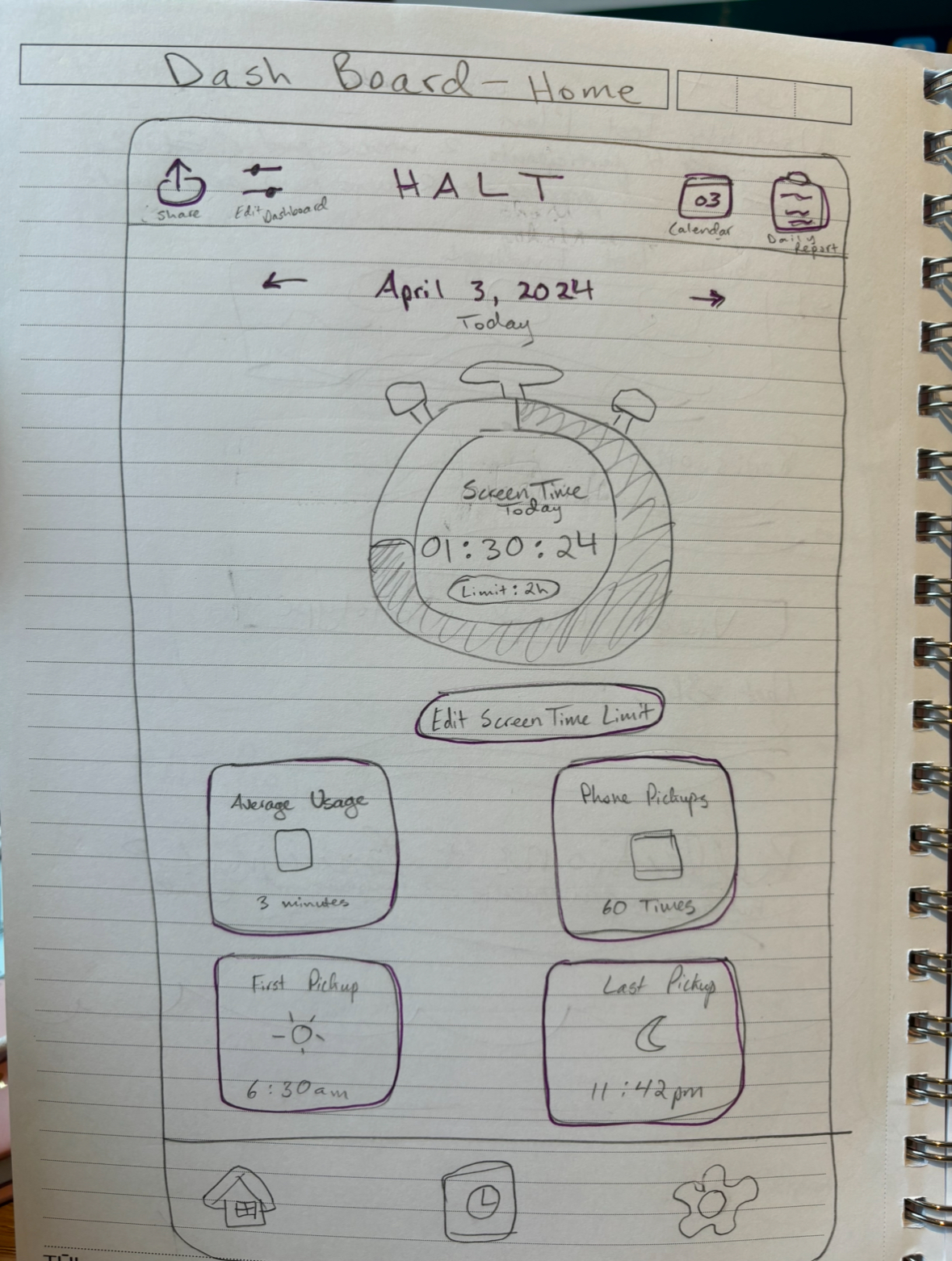
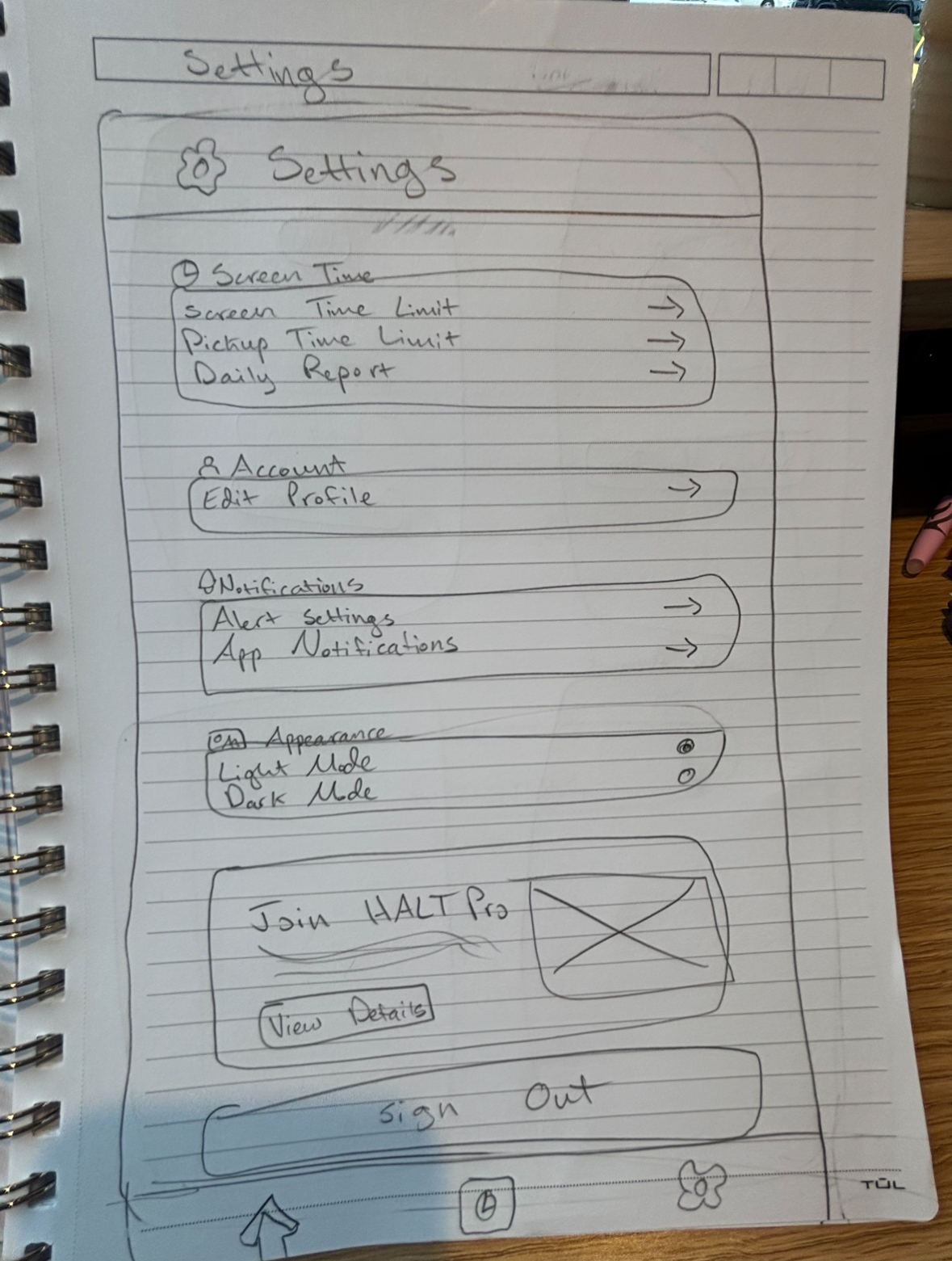
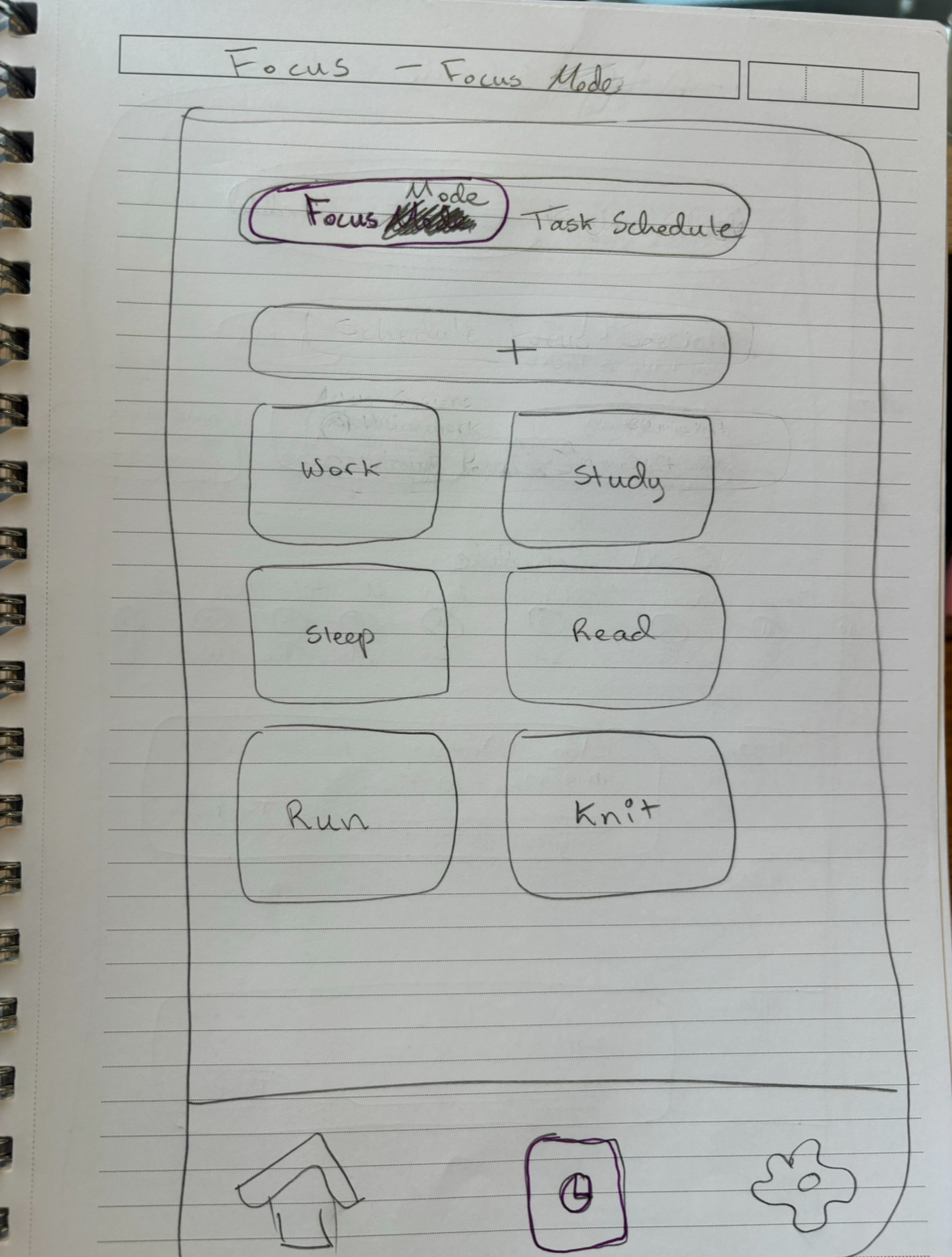
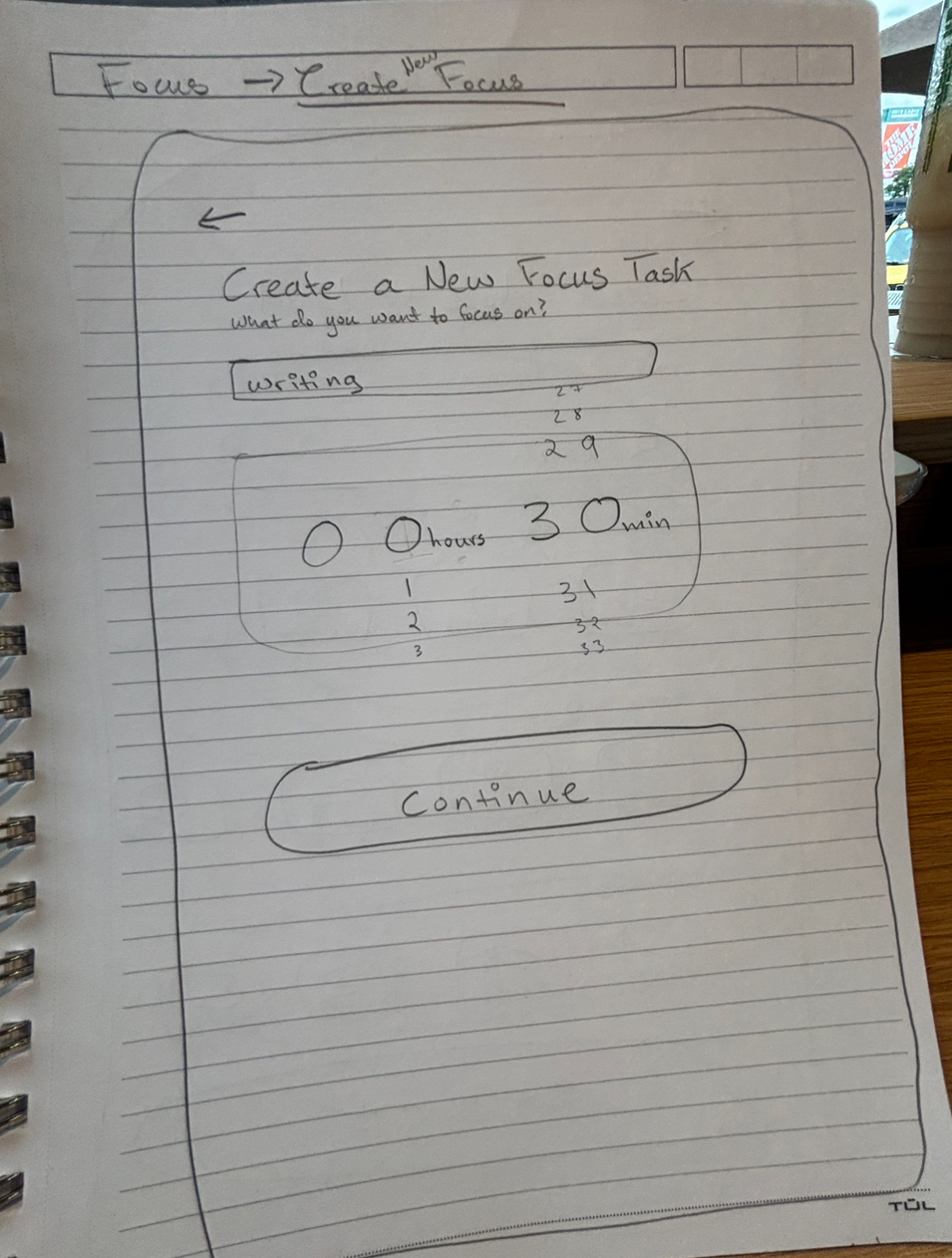
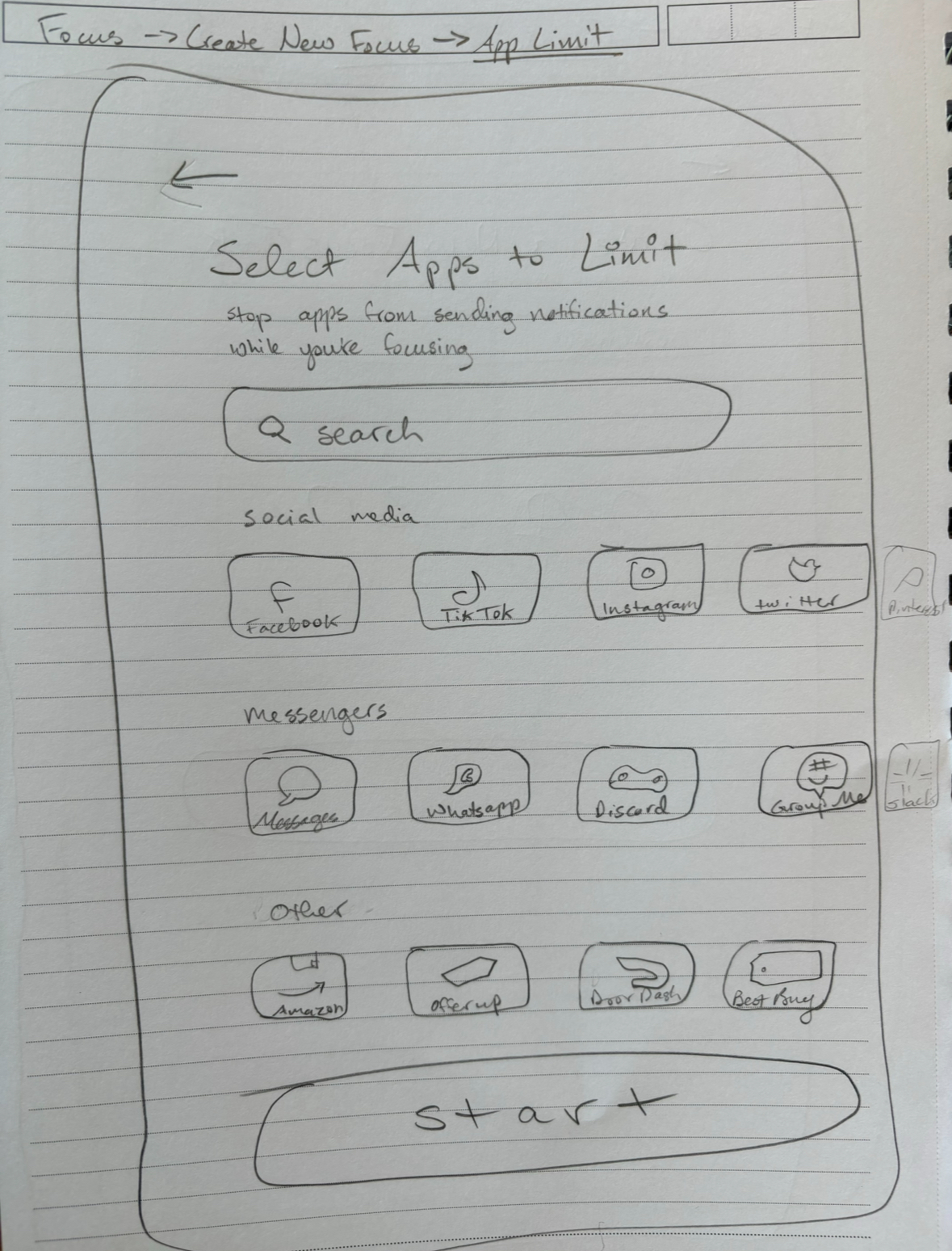
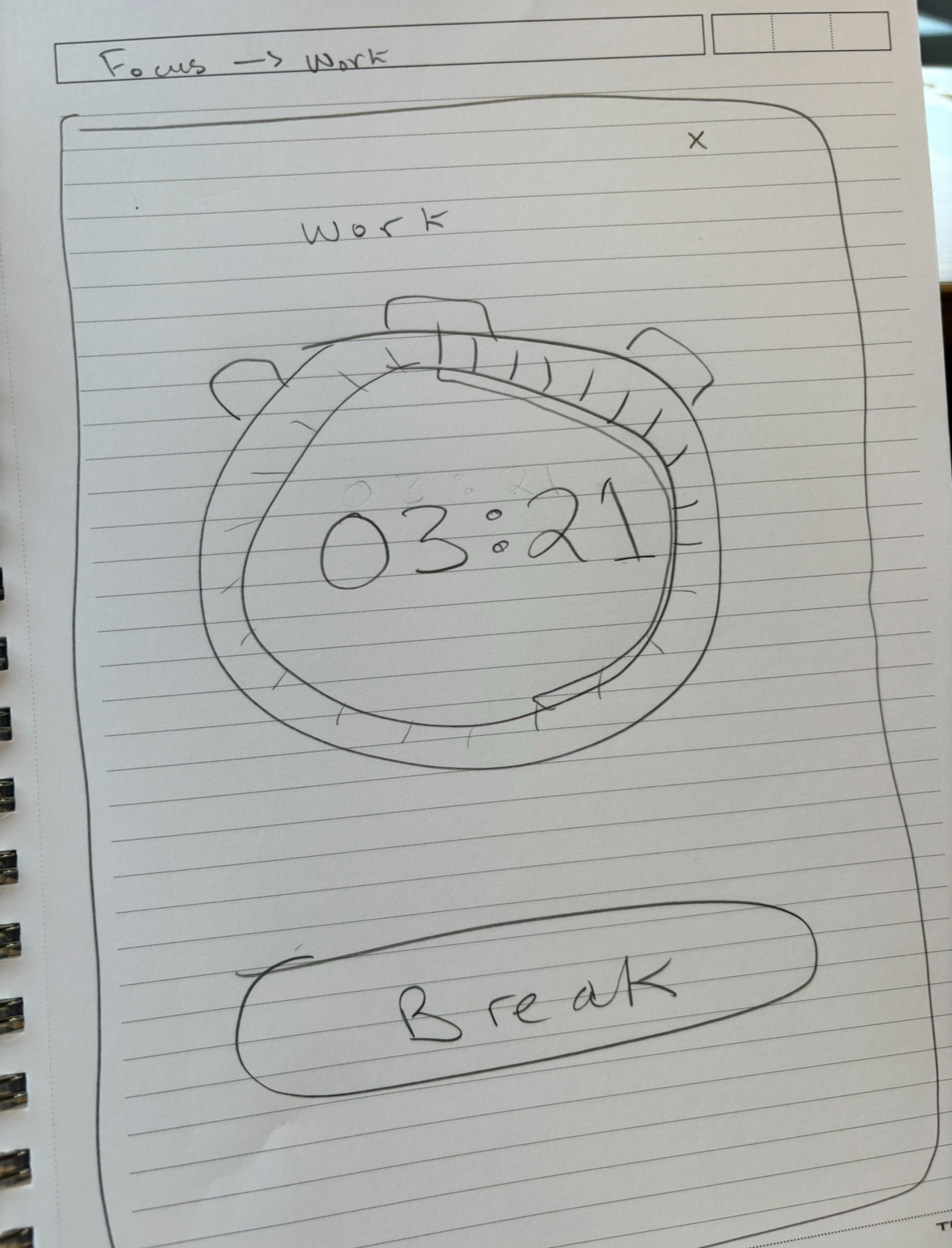
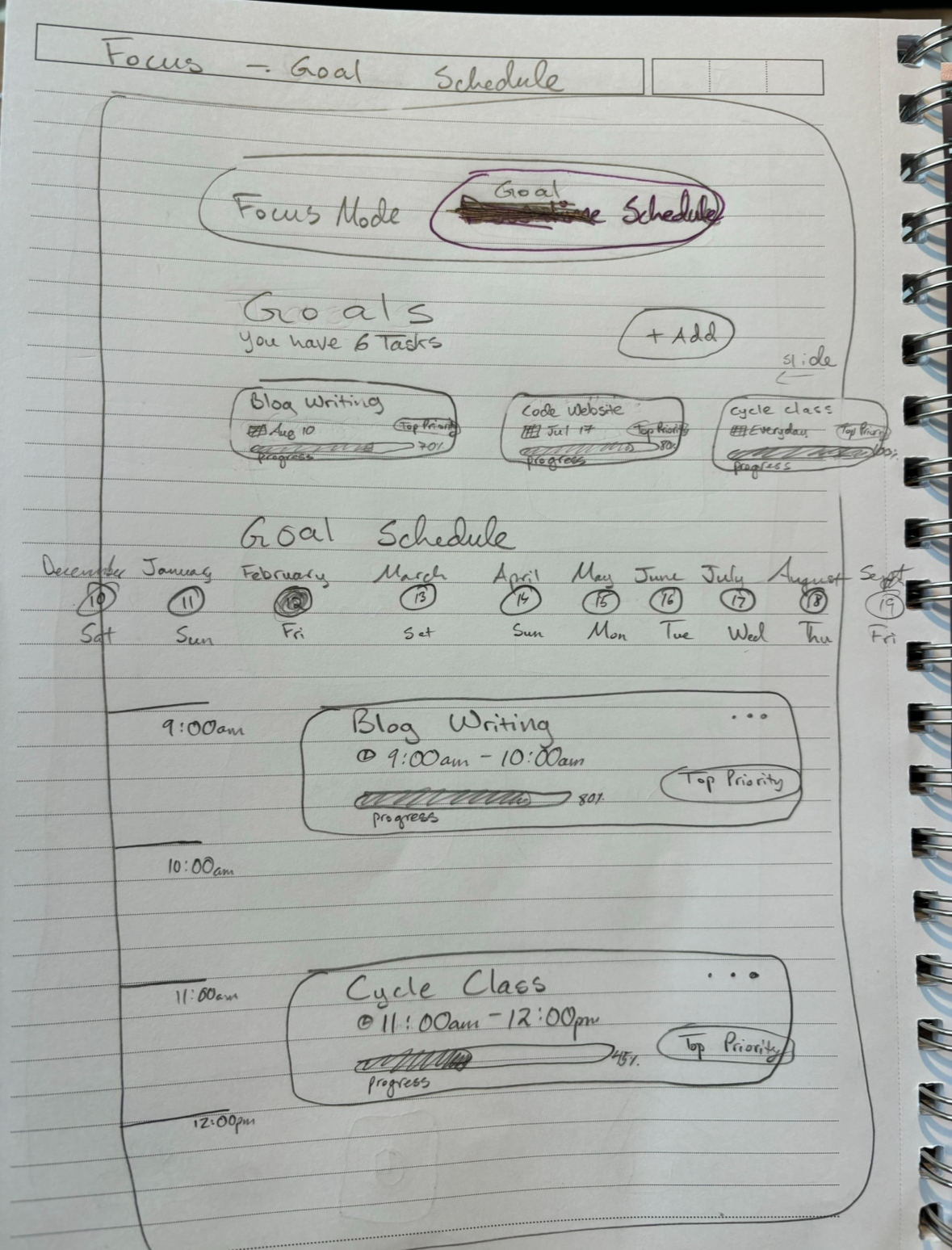
Once I gathered some of the most important key features I wanted to incorporate into HALT, I created an App Navigation flow in Figma. I made sure for each step to highlight key features including customizable screen time limits, focus mode, downtime scheduling(which I’ve renamed as “goal scheduling”), and insights to ensure a seamless and productive user experience for users to achieve their screen time goals. 

Lo-Fi Wireframe

These Lo-Fi designs I made in Figma provide a foundational visualization of the HALT app’s user interface and navigation flow. Just like from the sketches, I tried to maintain a focus on displaying the key functionalities such as including screen time limits, having a focus mode and goal schedule, customizable app options in the settings, and exploring contextual app usage insights within the home dashboard. Each wireframe illustrates the primary layout and interactive elements, serving as a blueprint for developing a user-friendly and effective screen time management tool.

UI Design Kit

This UI design kit for the HALT app includes a comprehensive set of components and styles to ensure a consistent and visually appealing user interface. The kit features buttons, icons, typography, color palettes, and layout templates designed for optimal usability and aesthetic consistency. Each element is crafted to enhance the user experience, providing a clear and intuitive pathway for managing screen time, scheduling focus sessions, tracking progress, and setting reminders. This kit serves as a valuable resource for maintaining design uniformity throughout the app development process

Brand Adjectives

Focus • Purple • Screen Time • Mindfulness • Accomplish Goals

Logo

Icons

Navigation

Fonts

Lato Bold - 24 This is a Heading

Lato Bold 15 - This is body and button text

Lato Bold 12 - This is label text

Lato Medium 10 - This is body text

Color Palette

Buttons

PROTOTYPE

Making the Design

Overview

Hi-Fi Prototype

Features

Hi-Fi Prototype

This high-fidelity prototype of the HALT app showcases a polished and interactive representation of the final product. It integrates refined visual elements, typography, and color schemes, reflecting the app’s branding and user-centric design. 

The prototype demonstrates key functionalities, including customizable screen time limits, focus mode, goal scheduling, progress tracking, and customizable analytics and reports. This detailed and realistic prototype provides a clear vision of the user experience and serves as a crucial way to gather feedback to further develop and improve HALT as an app.

Edit Dashboard Feature

To ensure users have the freedom to personalize their screen time management experience, I incorporated an “Edit Dashboard” feature on the Dashboard Home screen. This functionality allows users to select and customize the analytics they prefer to view, tailoring the dashboard to their specific needs and preferences.

Once users make their selections, their customized choices are reflected in the dashboard buttons, providing a truly personalized and user-centric experience.

HALT Pro

While prioritizing user experience throughout this project, I also considered the marketing potential and revenue generation strategies for HALT. 

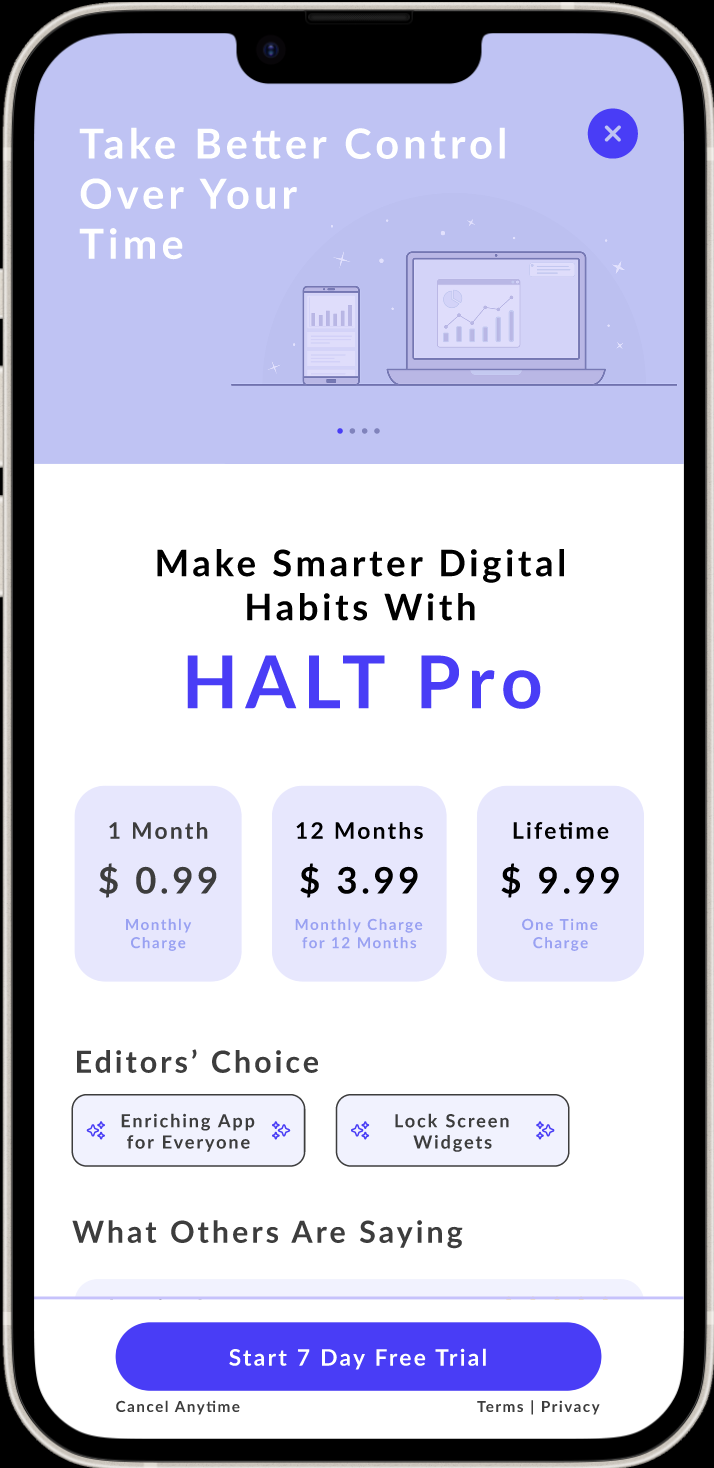
One effective approach is introducing a HALT Pro subscription, which provides users with advanced insights and analytics into their digital habits and behaviors. This premium offering can enhance user engagement while creating a sustainable revenue stream for the app.

Dark Mode

In the settings section of the HALT app, I introduced Dark Mode as an accessibility feature. This option caters to users who prefer a darker interface over the default light mode, reducing eye strain and providing a more comfortable viewing experience. 

By offering this feature, the overall user experience is enhanced with the option to have a greater personalization within the app, helping to meet diverse user preferences and needs.

TEST

Testing the Design

Overview

Usability Test Plan

Test Findings

Final Prototype

Next Steps

Usability Test Plan

To ensure HALT meets user needs, I wanted to conduct usability testing with both people that I had previously interviewed in the research stage along with people new to HALT. I wanted to see the participants interact and tell me how they felt as they navigated through HALT. 

I also wanted to gather feedback about how they felt on certain features, such as the setting screen time limits and customizing the dashboard.  By conducting the usability test, this will help me to improve the app’s usability and overall user satisfaction.

Test Findings

During my usability tests, I found several key areas for improvement. Most of the participants had mentioned that there were certain buttons that were too small to press on, so I’ll increase their size to make them easier to press. They also requested for there to be descriptions for each dashboard insights feature, so that they could better understand their purpose. Additionally, the participants wanted the ability to edit the timer on each added focus mode feature for greater control and personalization. Using these valuable insights from the participants, I was then ready to create my final design of HALT to enhance usability and overall user satisfaction.

Final Prototype

Next Steps

While I am proud of what I’ve accomplished and learned while creating the HALT app prototype, my goal is to continue developing HALT into a fully functional app available on the app store. To achieve this, I plan to conduct further usability testing, continue researching ways to improve HALT’s functionality, and transform this prototype into a coded application. Additionally, I am interested in incorporating new features, such as a social component where users can compare screen time with friends to motivate each other toward their goals. I also aim to explore integration with productivity tools like calendars and task managers, allowing focus periods in HALT to sync with other calendar events. Just like how I came up with a plan in creating this HALT prototype, I am eager to create a new plan to take into action transforming this HALT prototype into a fully-functioning app. 

Thanks for reading!

Have Questions
About This Project?

I’d love to talk about it more with you!